
 Download als PDF File
I ran into an issue on a Cisco 9800 WLC after upgrading to 17.12.6a with the standard install workflow.
The installation itself completed successfully, but the controller did not boot cleanly on the first reload.
What happened
I started the upgrade with this command:
WLC# install add file flash:C9800-40-universalk9_wlc.17.12.06a.SPA.bin activate commit prompt-level noneThe install process completed without obvious errors:
install_add_activate_commit: START Fri May  8 10:39:14 MEST 2026
install_add_activate_commit: Adding PACKAGE

--- Starting initial file syncing ---
Info: Finished copying flash:C9800-40-universalk9_wlc.17.12.06a.SPA.bin to the selected chassis
Finished initial file syncing

--- Starting Add ---
Performing Add on all members
  [1] Add package(s) on chassis 1
  [1] Finished Add on chassis 1
Checking status of Add on [1]
Add: Passed on [1]
Finished Add

Image added. Version: 17.12.06a.0.25
install_add_activate_commit: Activating PACKAGE
Following packages shall be activated:
/bootflash/C9800-rpboot.17.12.06a.SPA.pkg
/bootflash/C9800-mono-universalk9_wlc.17.12.06a.SPA.pkg
--- Starting Activate ---
Performing Activate on all members
  [1] Activate package(s) on chassis 1
  [1] Finished Activate on chassis 1
Checking status of Activate on [1]
Activate: Passed on [1]
Finished Activate

--- Starting Commit ---
Performing Commit on all members
  [1] Commit package(s) on chassis 1
  [1] Finished Commit on chassis 1
Checking status of Commit on [1]
Commit: Passed on [1]
Finished Commit

Install will reload the system now!
SUCCESS: install_add_activate_commit  Fri May  8 10:43:54 MEST 2026
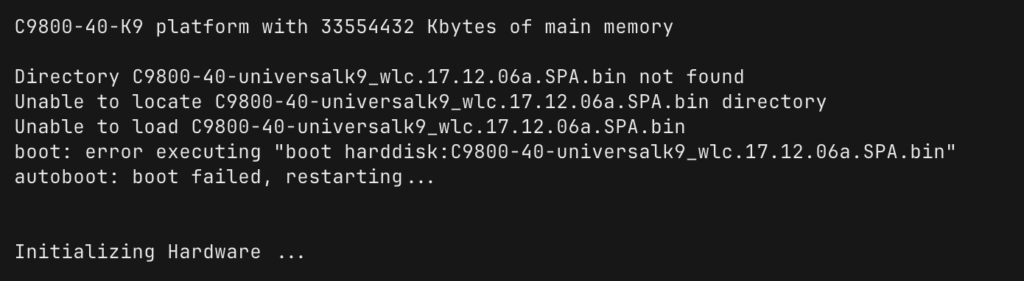
After the reload, the controller tried to boot from harddisk: and failed:
Initializing Hardware ...

System Bootstrap, Version 16.10(2r), RELEASE SOFTWARE

Directory C9800-40-universalk9_wlc.17.12.06a.SPA.bin not found
Unable to locate C9800-40-universalk9_wlc.17.12.06a.SPA.bin directory
Unable to load C9800-40-universalk9_wlc.17.12.06a.SPA.bin
boot: error executing "boot harddisk:C9800-40-universalk9_wlc.17.12.06a.SPA.bin"
autoboot: boot failed, restarting...
Key finding
The boot variable was wrong after the upgrade.
It still referenced harddisk: instead of the correct install-mode boot target.
This is what I saw:
WLC(config)# do show boot
BOOT variable = harddisk:C9800-40-universalk9_wlc.17.12.06a.SPA.bin,12;bootflash:/C9800-40-universalk9_wlc.16.10.01.SPA.bin,12;
CONFIG_FILE variable does not exist
BOOTLDR variable does not exist
Configuration register is 0x102
For an install-mode Cisco 9800, I expected this boot target instead:
boot system bootflash:packages.confWhat fixed it
I removed the incorrect boot statements, saved the configuration, and then set the correct boot target to packages.conf.
WLC# conf t
WLC(config)# no boot system
WLC(config)# end
WLC# write memory

WLC# conf t
WLC(config)# boot system bootflash:packages.conf
WLC(config)# end
WLC# write memory
After that, the running configuration looked correct:
WLC# show run | include ^boot
boot-start-marker
boot system bootflash:packages.conf
boot-end-marker
Important detail
write memory mattered.
The most important lesson for me was that changing the boot statements alone was not enough for verification.
Until I saved the configuration with write memory, show boot still showed the previous state and was misleading.
My validation flow was this:
- Remove or correct the boot statements.
- Save with
write memory. - Check again with
show boot. - Check again with
show run | include ^boot.
Without the save, it looked as if the change had not taken effect.
Successful reboot
After setting bootflash:packages.conf and saving the configuration, the controller booted normally:
Initializing Hardware ...

System Bootstrap, Version 16.10(2r), RELEASE SOFTWARE

File size is 0x000015b6
Located packages.conf
Image size 5558 inode num 1455330, bks cnt 2 blk size 8*512

File size is 0x025d6b8a
Located C9800-rpboot.17.12.06a.SPA.pkg
Boot image size = 39676810 (0x25d6b8a) bytes

RSA Signed RELEASE Image Signature Verification Successful.
Image validated
The final software version confirmed the successful boot:
WLC# show version
Cisco IOS XE Software, Version 17.12.06a
Cisco IOS Software [Dublin], C9800 Software (C9800_IOSXE-K9), Version 17.12.6a, RELEASE SOFTWARE (fc2)
Takeaway
If a Cisco 9800 fails to boot after an upgrade even though install add file ... activate commit completed successfully, I would check the boot variable first.
In my case, the root cause was simple:
- The boot variable pointed to the wrong location.
write memorywas required before the boot-related show commands reflected the corrected state.
If the controller is running in install mode, bootflash:packages.conf is the value I would expect to see.
