

 Download als PDF File
Today I wanted to upload a new image into EVE-NG to play around with a Palo Alto firewall.
The problem? The last time I uploaded an image was quite a while ago — and, unsurprisingly, I did it wrong on the first try.
I followed the usual instructions:
upload the image + fix permissions
root@eveng:~/node-images# mkdir /opt/unetlab/addons/qemu/PA-VM-KVM-10.2.3
root@eveng:~/node-images# mv PA-VM-KVM-10.2.3.qcow2 /opt/unetlab/addons/qemu/PA-VM-KVM-10.2.3/virtioa.qcow2root@eveng:~/node-images# /opt/unetlab/wrappers/unl_wrapper -a fixpermissions
Everything looked fine from the CLI side. However, when I opened the EVE-NG GUI, the image was simply not visible at all.
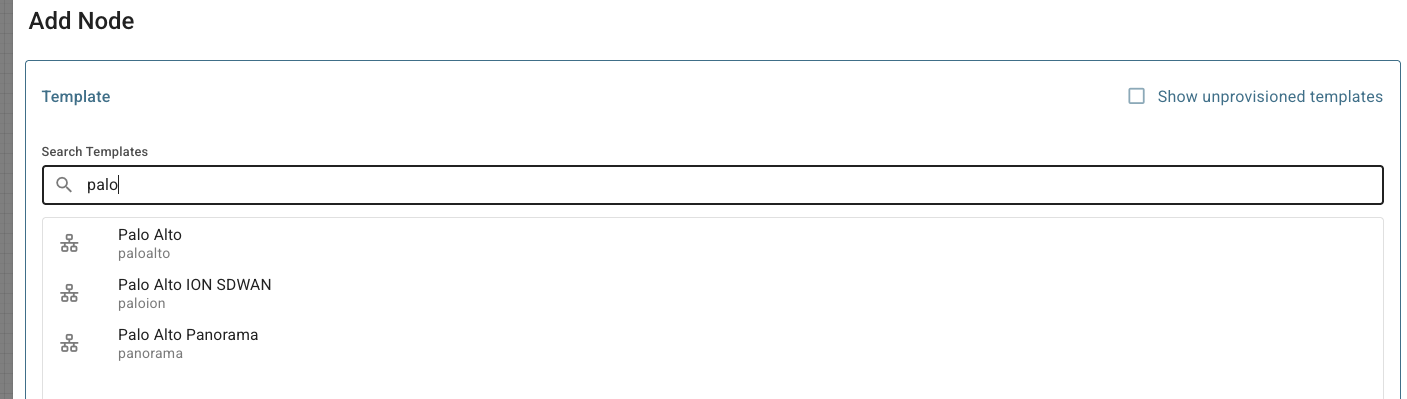
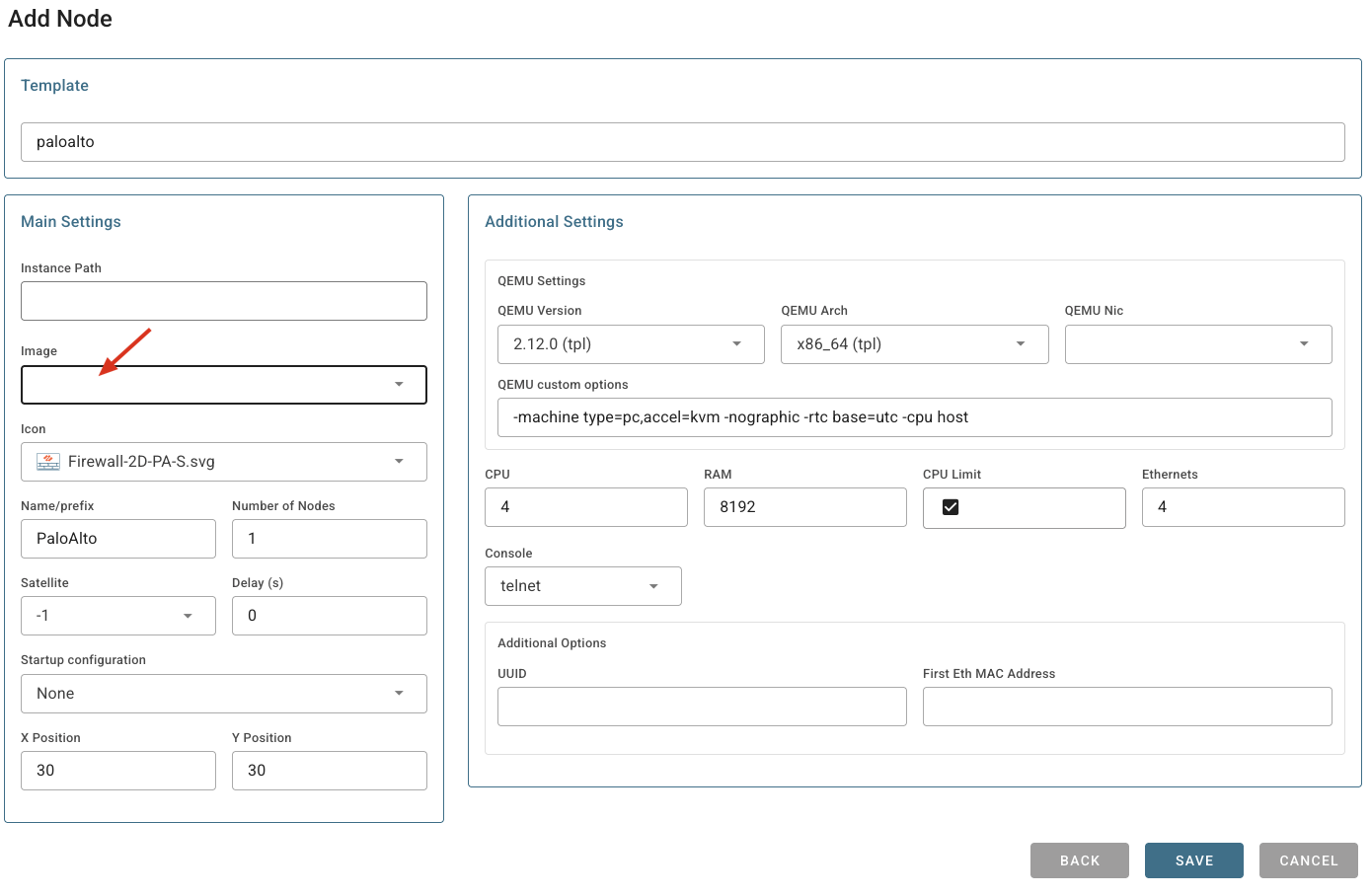
After a short troubleshooting session, I stumbled upon the actual solution
https://www.eve-ng.net/index.php/documentation/qemu-image-namings/
The key detail I had forgotten: EVE-NG expects strict folder naming conventions.
For certain vendors — Palo Alto being a perfect example — the directory name must match exactly what EVE-NG expects. Any deviation, even a small one, and the image will not appear in the GUI.

Once I renamed the folder correctly and re-ran the permissions fix, everything snapped into place.
root@eveng:/opt/unetlab/addons/qemu# mv PA-VM-KVM-10.2.3/ paloalto-10.2.3
root@eveng:/opt/unetlab/addons/qemu# /opt/unetlab/wrappers/unl_wrapper -a fixpermissions
Jan 05 12:44:25 Jan 05 12:44:25 Online Check state: Valid
After that, the image showed up immediately in the GUI — ready to be used.
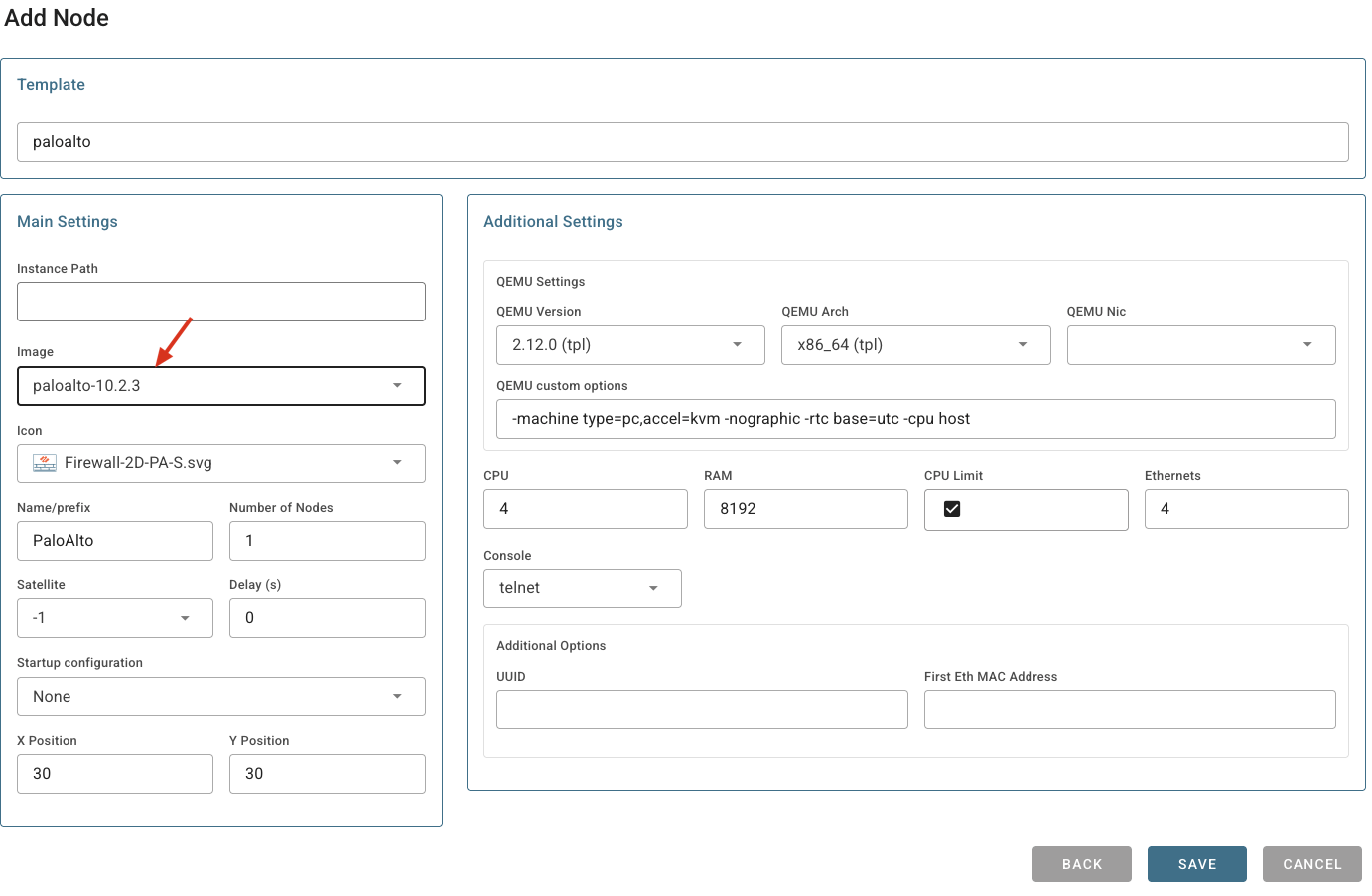
Lesson learned:
If an image doesn’t appear in EVE-NG, don’t just check permissions — check the folder name first.
